Design uplift for the UIs
The overall brief is to rebrand the look and feel of the UI of the whole mobile banking app
Streamline the home internet plan purchase
There are many required steps that user need to do before they went to checkout. The challenge is how can we make the process feels easier for users.
ideation
There’s a specific and sequential process when someone wants to pay for a home internet in Australia. These are the following steps:
SQ Check –– to know which eligible products by entering your home address
Choose home internet products
Choose modem & WI-Fi Mesh Offer
Additional voice packages (optional)
Continue to Checkout
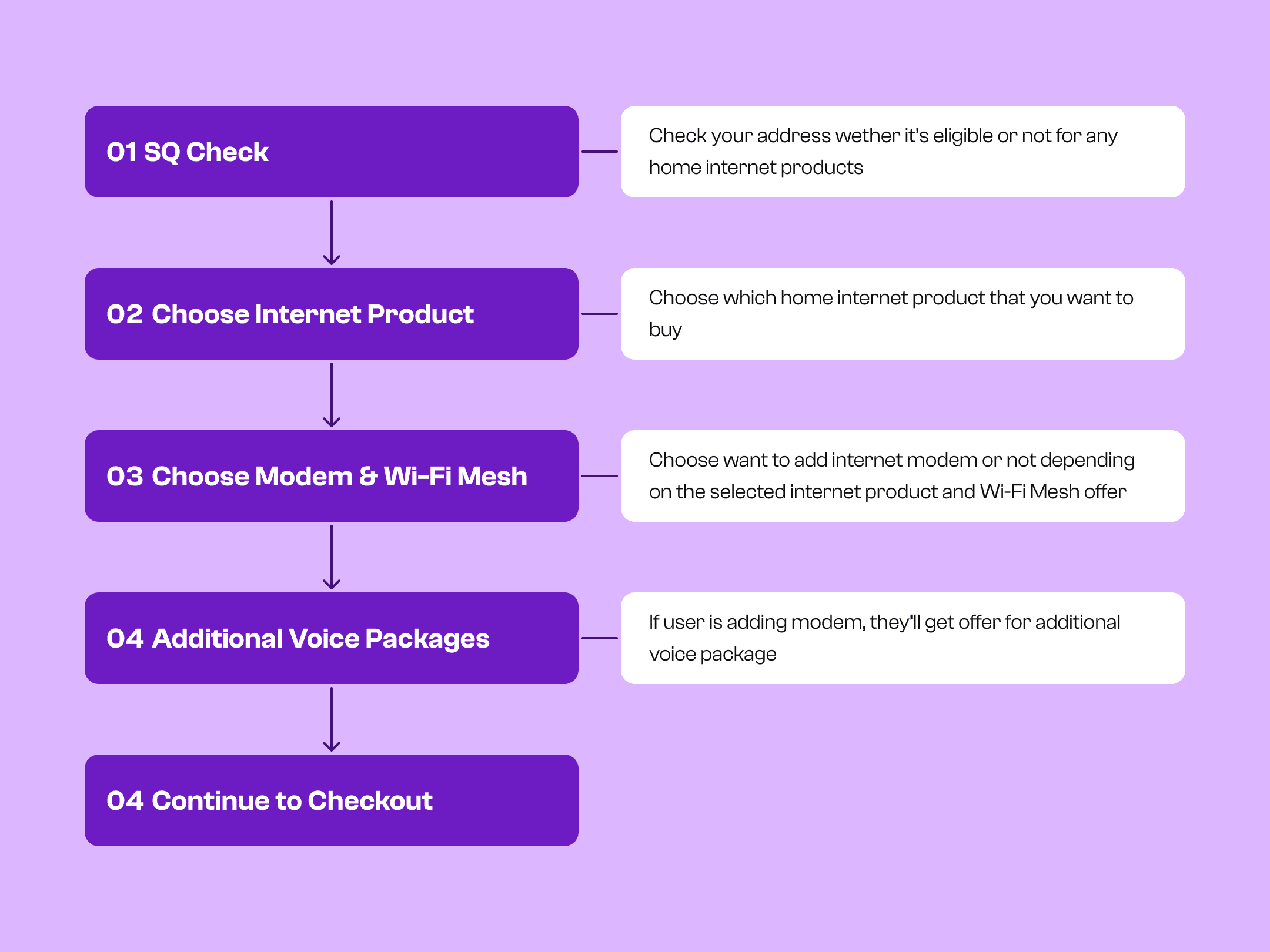
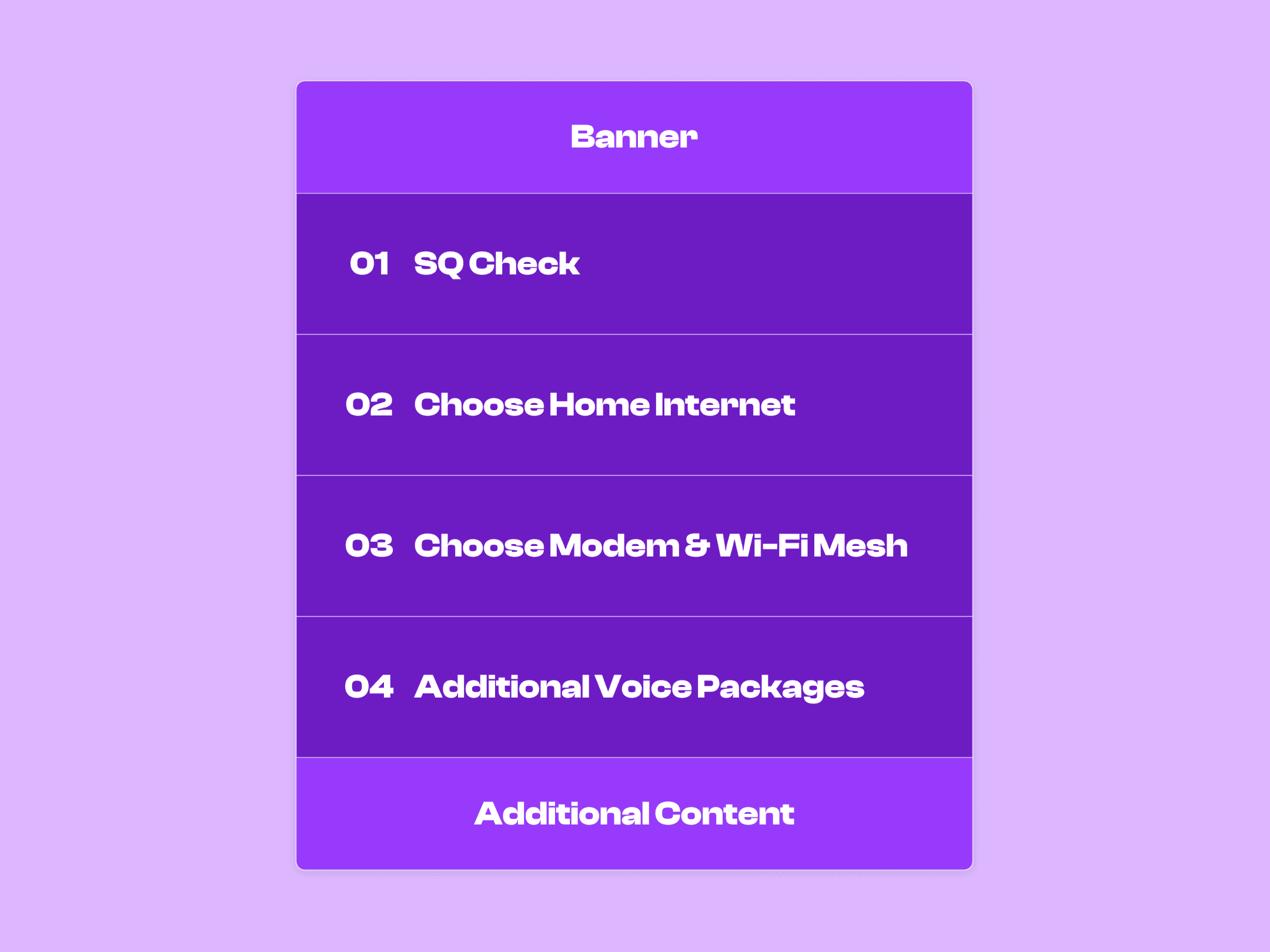
Based on this flow, we decide to create a one full page that contains the all of the steps from the beginning (SQ Check) until the end (Continue to Checkout)
By having this structure, we can guide the users on each step and explain what actions they need to do before going to the next step and complete the process.
Solution
First, user need to go through a SQ (Service Qualification) Check process by entering their home address.
In the beginning, you need to enter your home address to know which home internet products that are eligible for you to purchase

If the address is eligible, we’re displaying what kind of technology that is available for user to purchase.
Provided links for user to educate more about the technology.

solution
We’re showing all eligible products for your home.
Displaying the home internet products by their technology type, either using Fiber or Wireless.
All home internet product details are being displayed up front so user can compare easily between each products.

Solution
The modem that’s being provided is depending on which home internet products that you choose previously.
For fiber products, we provide the modem where the user will be paying for it in monthly installment. But they have an option to opt out.

For wireless products, we provide the modem and user can’t opt out.

If you choose to buy modem to your plan, you’ll get a Wi-Fi Mesh offer than can help to enhance your internet connectivity.

solution
If user also purchase the modem, we’re displaying voice package offers below.
If they don’t want to include the modem, we won’t display the voice package.

solution
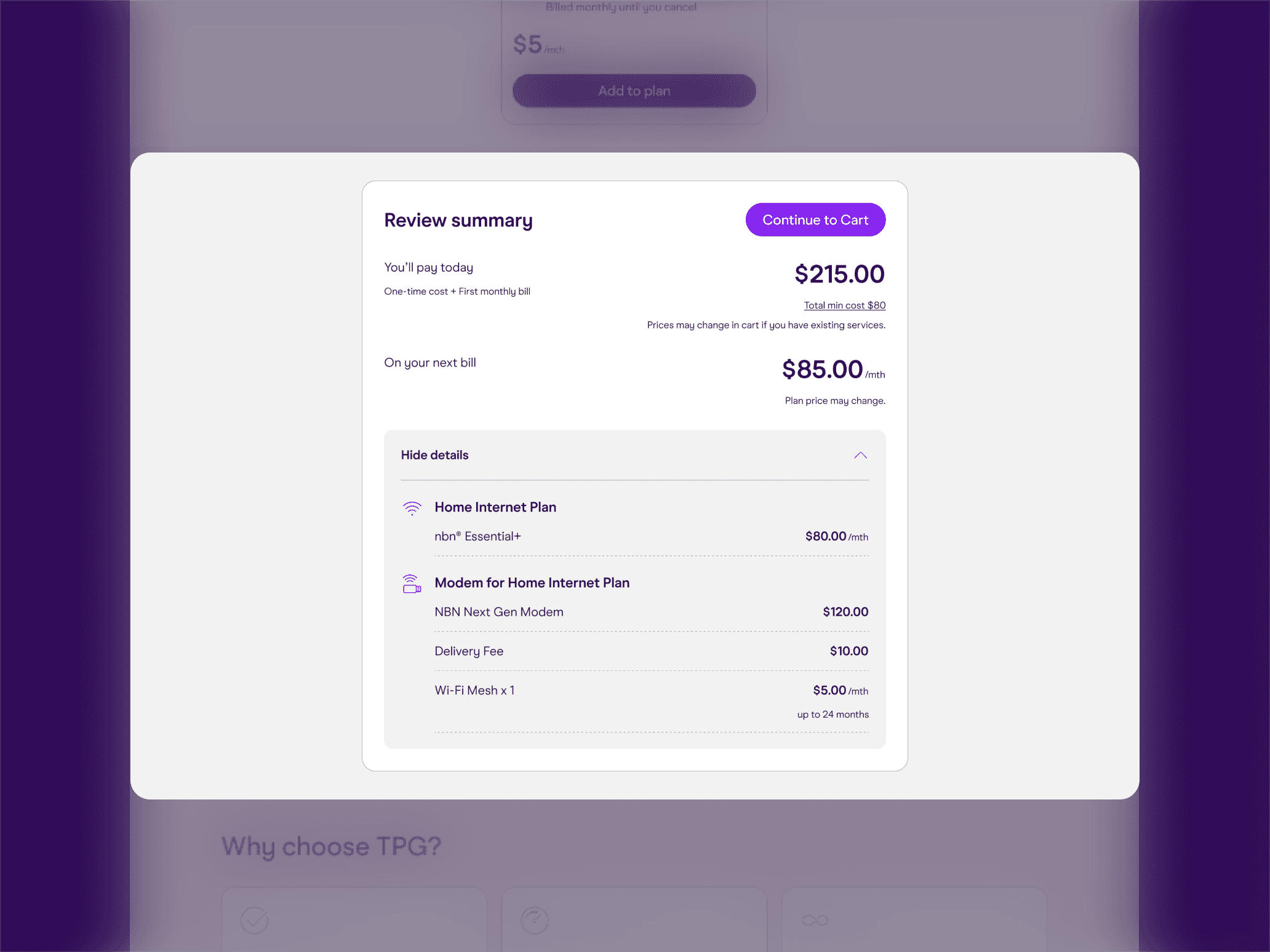
Now that it’s all set, user can continue to the payment process by clicking the continue button in the bottom.